
How do you choose photos for a photography portfolio?
Choose photographs for how they work together. The frame with the most dramatic light or strongest social response may be wrong for the opening, while a quieter image can establish the place, bridge two ideas, or reveal more about how you see.
Quick answer
Start with a generous shortlist, then remove weak photographs, near-duplicates, and images that do not serve the gallery. Keep each photograph for a reason: it establishes the subject, adds information, changes the pace, or completes the sequence.
In this guide
Decide what holds the photographs together
Write one sentence about the gallery you want to make. It might be a place you keep returning to, the people in a community, or the kind of portrait you want to make more often. That sentence helps you recognize which photographs belong.
Imagine someone opening the gallery without knowing you. What would help them recognize the connection? A series about a coastal town might bring together the harbor, people at work, and empty streets at dusk. The shared place gives those different photographs a reason to belong together.
Keep the person you are sharing with in mind. A friend may already know the place; an exhibition reviewer may need a little context. If you are submitting an application, note its image count and file requirements before you begin.
Make the first shortlist generous
Do not edit directly from the whole archive. Create a separate collection of plausible candidates so the later decisions happen within a manageable field.
Bring your favorites into a temporary collection alongside the quieter frames you keep passing over. Include alternate versions for now: seeing two portraits beside each other makes the difference in expression much easier to judge.
Give the candidates consistent basic color and exposure, but save detailed retouching until the edit settles. You are deciding which photographs deserve that attention. Only include work you are comfortable and entitled to publish.
For more on keeping a shorter edit alongside your alternatives, read our guest article on building a portfolio in Amateur Photographer.
Use a private review to narrow the selection
In ISO100 Photos, use Review photos to mark Pick, Undecided, or Leave out. Review a batch, filter to your picks, then add the chosen photographs to a gallery.
These decisions do not publish, hide, or delete a photo. Keep uncertain images as Undecided while you work through the sequence; change gallery placements separately when the selection is ready.
For the setup steps, see Review and shortlist photos.
Ask what each photograph contributes
Look at the photograph on its own, then look at what happens when it joins the others. The decision is about both the image and the gallery you are making.
Try hiding a photograph and looking through the remaining sequence. Perhaps the place becomes harder to understand, or a change from landscape to portrait feels abrupt. That absence tells you the image was doing useful work, even if it was not your favorite.
If the gallery loses nothing, leave the photograph out for now. A strong image can belong in another series. Check technical quality at the size people will actually see it, so a distracting flaw does not survive simply because the photograph carries a good memory.
Break ties between similar photographs
Near-duplicates make both images feel less decisive. Keep a pair only when the difference is the point, such as a changing gesture, a before-and-after state, or a deliberate typology.
With two portraits, look first at the gesture and the relationship to the background. One may feel more direct; the other may reveal something about the person’s surroundings. Choose the one that adds what the sequence needs, then check that it still reads well at gallery size.
A change from horizontal to vertical is useful only if the photograph earns its place. If you still cannot decide, take both out for a day. The one you miss may show you what the gallery was missing.
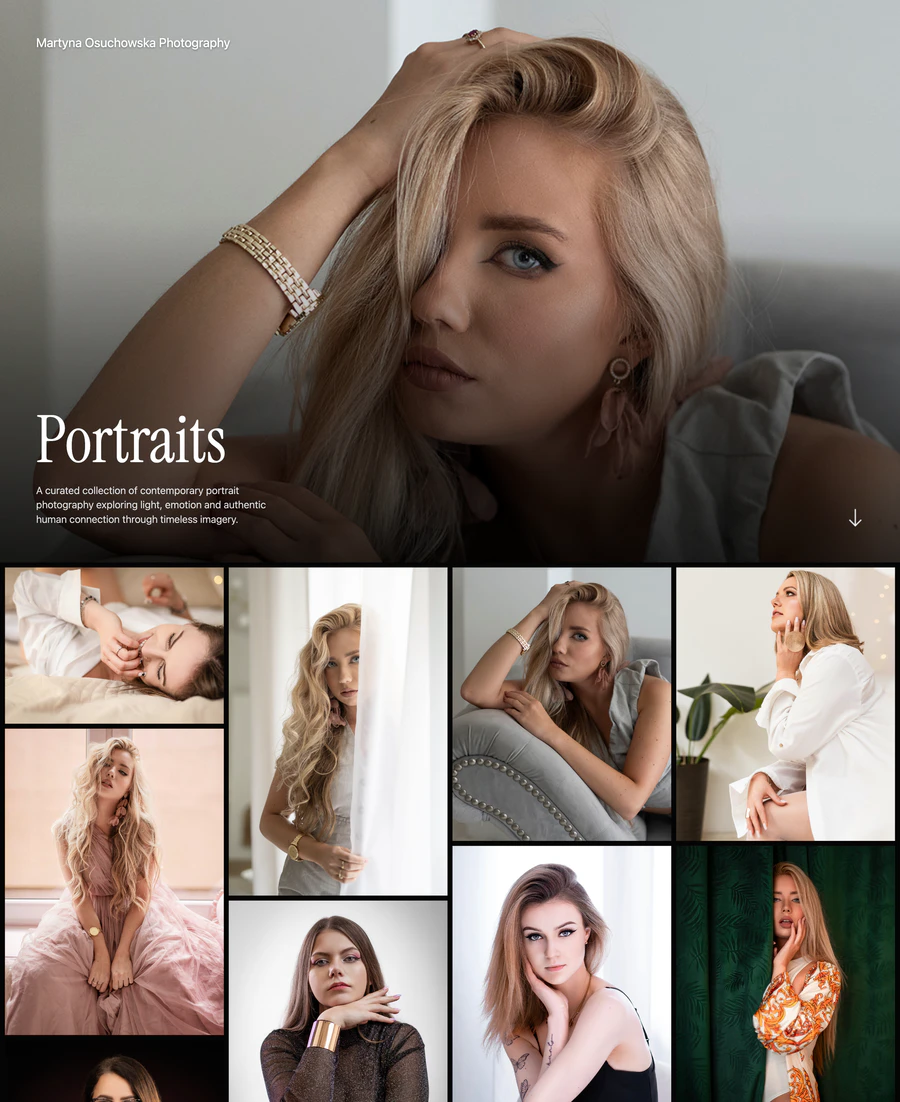
Use a gallery view to spot repetition in pose, framing, and expression. A different orientation alone is not a reason to keep another photograph.
Select the screenshot to view full size.
View gallery →Use role labels instead of star ratings
Star ratings can help you find favorites, but they tell you less about the shape of a gallery. Try describing what each photograph does for the viewer.
Think of the photograph that brings someone into the story, the one that shows where they are, and the detail that rewards a closer look. A transition might take the viewer from a busy street to a quiet room; an ending might return to something they noticed at the start.
These roles help explain why a modest frame can matter. If every selected image is trying to be the dramatic opener, the gallery may need a quieter moment more than another standout photograph.
Ask for specific feedback
Show the sequence to someone who was not there when you made the photographs. Let them look before you explain the project; their first impression can reveal connections you assumed were obvious.
Ask what led them to that answer. If a viewer finds two images repetitive, compare those frames together instead of treating the comment as a vote. You are looking for a clearer understanding of the edit, while keeping the final choice yours.
- What do you think this gallery is about?
- Where did your attention slow down or drift?
- Which photograph do you remember, and which could you do without?
Review the edit after a break
Recent photographs carry the memory of effort, access, weather, travel, and the people involved. Leave a promising edit alone for several days, then review it first as thumbnails and later at full size. Remove the images that survive only because you remember making them.
Build the shorter selection in an ISO100 gallery and preview it as someone else will see it. Sometimes the missing image becomes obvious only when the photographs have room around them.
Give your selected photographs a place in the sequence.
Arrange the edit in an ISO100 gallery, choose its cover, and preview how the photographs read together before publishing.
Common questions
Should I choose only my best photos for a portfolio?
Choose your strongest relevant photographs, but judge "best" within the set. A quieter image may be essential because it establishes context or changes the pace, while an impressive outlier can weaken the portfolio's direction.
How do I know if two portfolio photos are too similar?
Hide one and ask whether the other already supplies the same subject, framing, gesture, color, and narrative information. Keep both only when the difference creates meaning or necessary progression.
Should I include old photographs in my portfolio?
Yes, when they still support the current brief and hold up beside newer work. Remove them when they represent a direction you no longer want to show or make the overall standard inconsistent.
Choose the next topic.
Finding the right image count
Use practical editing ranges to keep each gallery focused.
Sequencing a portfolio
Shape an opening, vary the pace, and finish with purpose.
Making your first portfolio
Work from a clear brief through image selection, galleries, and publication.