
What should a photography portfolio website include?
A photography portfolio needs to make your work easy to explore. Clear galleries, useful context, and straightforward navigation give visitors what they need without crowding the photographs. Start with those essentials and add contact details where they are useful.
Quick answer
Include a clear photographer name, a selected set of galleries, useful captions, and a contact route. Give each gallery a distinct purpose and test its cover, sequence, and navigation on a phone before sharing.
In this guide
Write the one-sentence brief
A brief prevents the portfolio from becoming a tour of every photographic interest. Name the intended viewer, the work they need to see, and what they should be able to do next.
A personal brief might be “a changing record of Melbourne streets for friends and other photographers.” An editorial portrait photographer might want an editor to understand their approach and send an inquiry. A student might need three assignments with enough context for a tutor to follow the work.
Use the sentence to decide what belongs on the site. If two projects serve different purposes, separate galleries can give each the introduction it needs.
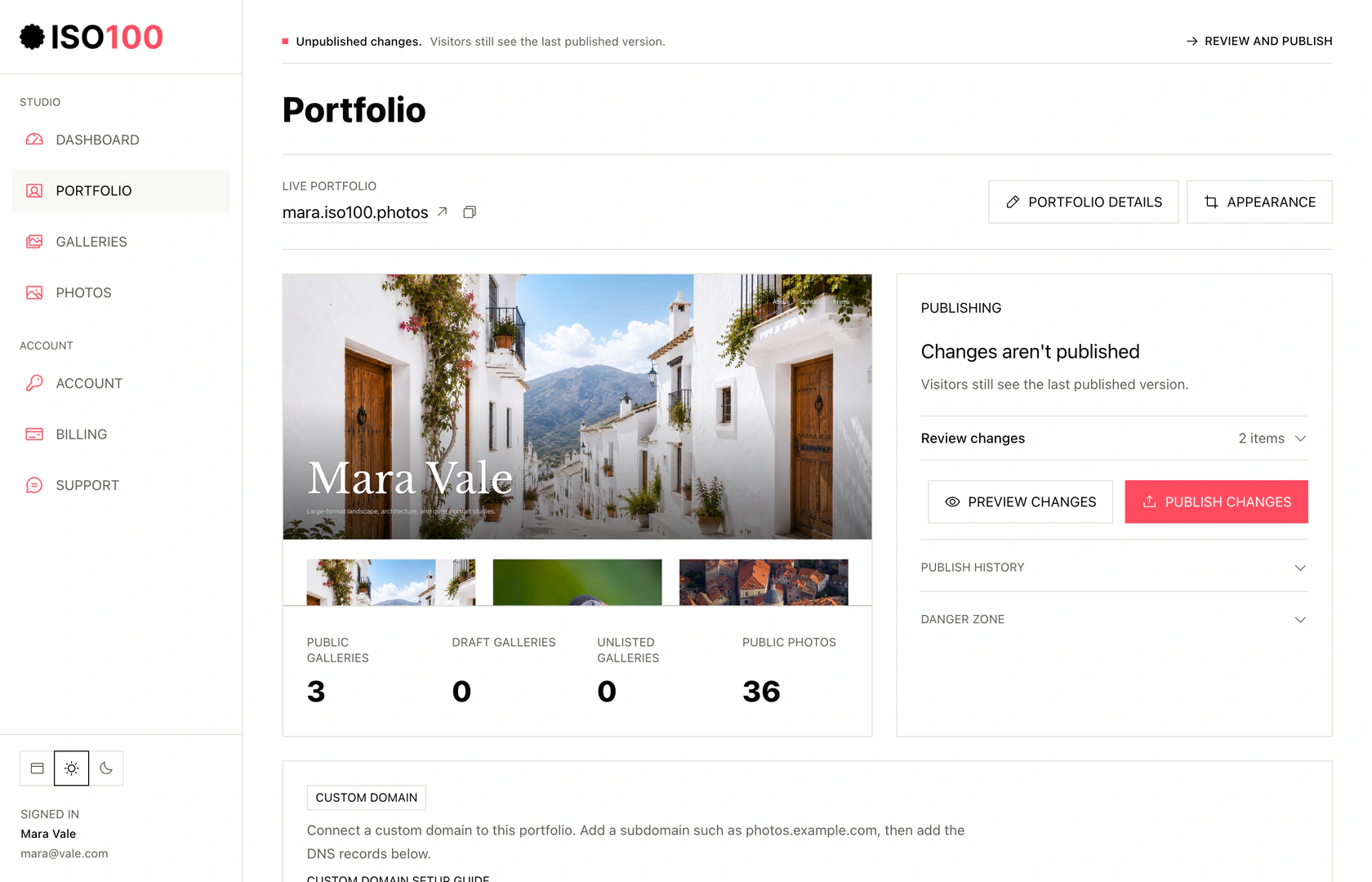
Studio separates your saved draft from the version visitors can see.
Select the screenshot to view full size.
- Use Edit portfolio for identity, pages, and contact information, and Appearance for the cover and layout.
- Preview changes before publishing. The last published version stays live while you edit.
Design the gallery structure on paper
Use gallery names that make sense without explanation. Projects, series, places, subjects, events, and distinct areas of practice usually produce clearer groups than catch-all labels such as "Work" or "Portfolio."
Write a line describing each proposed gallery, then compare them. If two descriptions say almost the same thing, the photographs may work better together. If every image could fit anywhere, the groups probably need a clearer purpose.
Put the most representative work first and keep experiments in draft until they feel ready. A mixed overview can be useful, but it should introduce the work rather than duplicate the whole portfolio.
Choose the pages you need
Most photography portfolios need fewer pages than expected. Add a page only when it answers a viewer’s real question.
The homepage needs your name and an inviting route into the photographs. Each gallery needs a clear subject, a representative cover, and an order that rewards looking. A short introduction and a reliable contact route will answer most of the questions that remain.
Add details such as dates, locations, or camera information when they make a photograph more interesting or easier to understand. Give the work context without making every image require a paragraph of explanation.
In ISO100, your name, Introduction, Bio, and contact form sit alongside the galleries. Add a custom page when an artist statement, exhibition list, services, or project story needs more space. Combine text and photographs, include a contact form, and arrange it in your navigation.
Give supporting pages a clear purpose
A service page can explain what a session includes; an exhibition page can give dates and context. Keep each page useful to someone who has just seen the photographs.
Select Keep as draft for unfinished pages. When ready, clear it, save, preview, and publish the content and navigation.
For the setup steps, see Pages and navigation.
Review the viewing experience
A portfolio can look resolved on the editor screen and fail on the public page. Review it as a stranger with no memory of the shoots.
- At phone width, check name, navigation, cover crop, text contrast, image scale, and tap targets.
- At desktop width, check that images remain the focus and that the layout does not create distracting empty gaps.
- Open every gallery from its direct URL as well as through the homepage.
- Check the first five images together; this is often the most viewed part of the sequence.
- Share a link privately and inspect the generated preview before a wider launch.
Keep the portfolio up to date
A portfolio should change when the work changes, not whenever a template trend appears. A short quarterly review is enough for many photographers.
Compare a new photograph with the existing selection before adding it. Sometimes it fills a gap; sometimes it replaces a frame you have outgrown. Check the cover again after an edit so it still represents the gallery.
Use the same review to update your bio, contact details, and social links. Keep a local record of the selected files, captions, and order so the edit remains yours wherever you publish it.
Inspect a public gallery as a viewer
Use this live sample to see how photographs with different subjects and proportions fit together. Follow the sequence, open individual photographs, and notice how the layout gives each image room while keeping the collection connected.
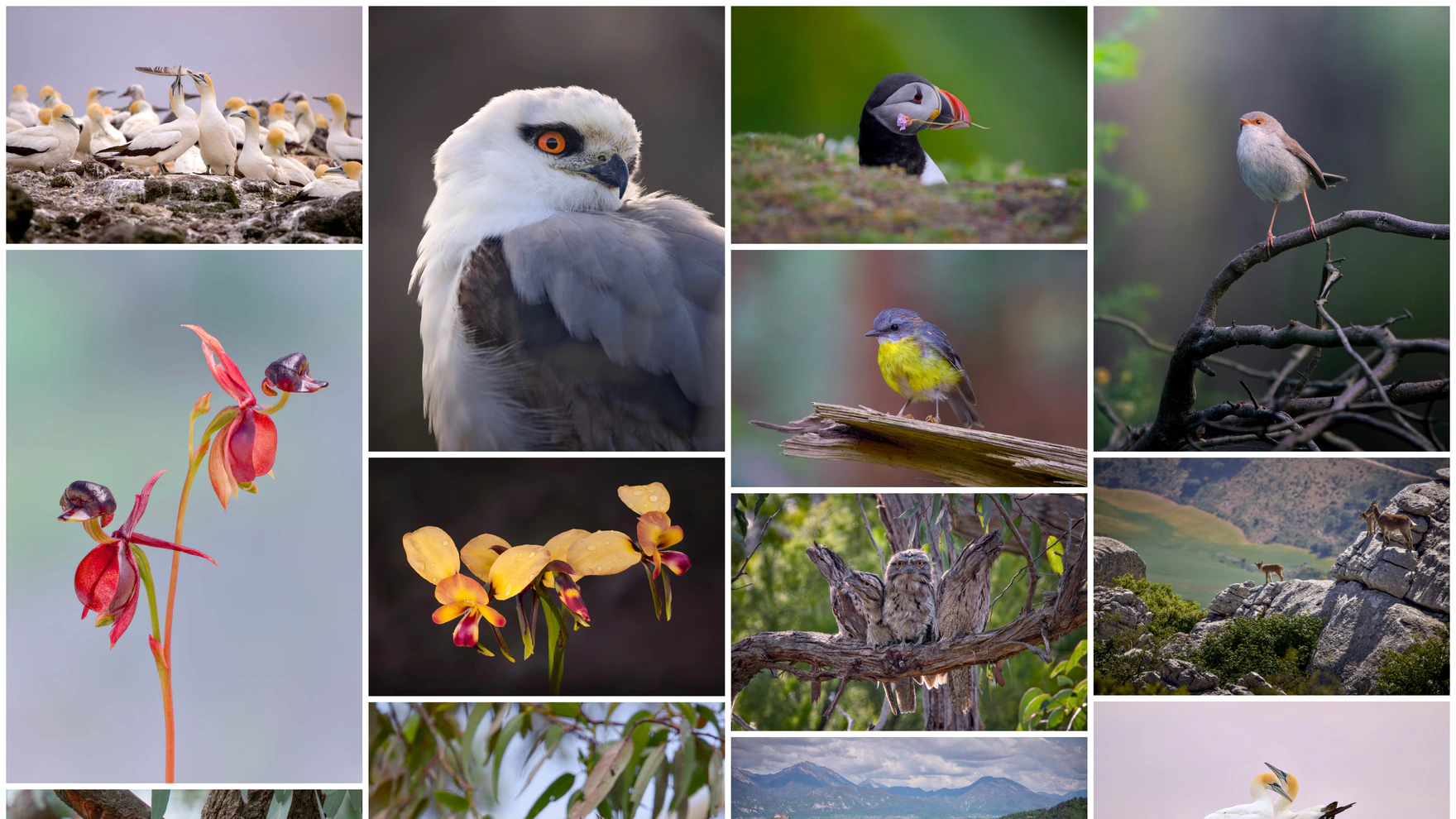
A mixed-height grid brings different subjects and image proportions together.
Select the screenshot to view full size.
View gallery →Put your photographs, galleries, and contact details together.
Use an ISO100 layout to give your photographs, gallery titles, and introduction a consistent visual structure without designing separate page sections.
Common questions
What pages should a photographer portfolio website include?
Start with a homepage, distinct gallery pages, a short about section, and a reliable contact route. Add services, articles, booking, or commerce only when the site genuinely needs those functions.
How many galleries should a photography website have?
Use as many galleries as there are distinct bodies of work worth sharing. Three to six is a practical starting range, but clarity matters more than a fixed number.
Does a photography portfolio need a custom domain?
Not at first. A clear platform address can be enough while the edit is still developing. A custom domain becomes useful when you share the same portfolio repeatedly and want a memorable address that can survive a change of publishing service.
Choose the next topic.
Making your first portfolio
Work from a clear brief through image selection, galleries, and publication.
Portfolio examples
Explore seven ways to present projects, commissions, and a mixed practice.
Writing your photographer bio
Explain your work in a short, straightforward introduction.